


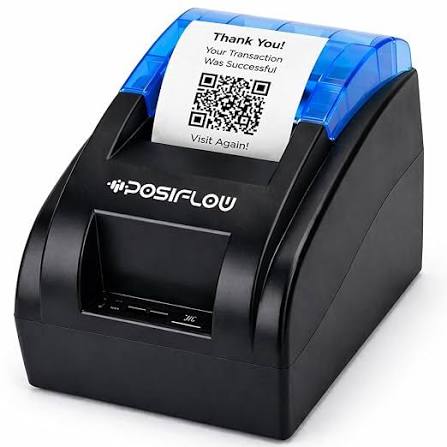
The Importance of Print Resolution and Paper Compatibility in Thermal Receipt Printers
Thermal receipt printers are widely used in retail stores, restaurants, supermarkets, banks, and other businesses that need to produce transaction records quickly. Although printing speed and connectivity often receive considerable attention when selecting equipment, print resolution and paper compatibility are equally important. These two factors directly influence the readability, consistency, and reliability of printed receipts.
Understanding how resolution and paper specifications affect printing performance helps businesses choose suitable equipment and avoid common printing problems. A Thermal Receipt Printer can deliver consistent results when its technical specifications are matched with the correct thermal paper and the requirements of the intended application.
Understanding Print Resolution in Thermal Receipt Printers
Print resolution describes the level of detail a printer can reproduce on paper. It is commonly measured in dots per inch (DPI), which indicates how many individual dots can fit within one inch of printed output.
In thermal printing, the printhead contains small heating elements that create dots on heat-sensitive paper. The arrangement of these dots forms letters, numbers, symbols, barcodes, and other printed information.
A higher resolution generally allows a printer to reproduce finer details, although the practical difference depends on the content being printed and the quality of the paper.
For standard receipts containing product descriptions, prices, and transaction totals, a suitable resolution helps maintain clear and readable text. Applications involving small fonts, detailed logos, or dense barcodes may require greater attention to resolution.
1. Why Print Resolution Matters for Receipt Readability
Receipt readability is essential for both customers and employees. Customers need to understand transaction details, while businesses rely on printed records for payment verification, returns, and accounting.
If printed characters appear blurred, incomplete, or uneven, important information may become difficult to interpret.
Suitable print resolution helps produce:
- Clearly defined letters and numbers.
- Consistent text across the receipt.
- Better reproduction of small characters.
- More recognizable logos and symbols.
- Readable transaction details and totals.
However, resolution alone does not guarantee good output. Printhead condition, paper quality, printing speed, and software settings also influence the final result.
2. The Relationship Between DPI and Printing Detail
DPI is an important specification when comparing thermal printers. Different models may offer different resolution levels depending on their printhead design and intended applications.
A printer with higher DPI can generally reproduce smaller visual details more accurately than a lower-resolution model, provided the source content and paper support that level of detail.
For example, a basic retail receipt may contain only text and simple graphics. A printer designed for more detailed output may be more appropriate when receipts include compact QR codes, intricate logos, or other graphic elements.
Businesses should evaluate resolution according to their actual printing requirements rather than automatically choosing the highest available specification.
3. How Resolution Influences Barcode and QR Code Quality
Barcodes and QR codes are increasingly used in retail, logistics, food services, and payment systems. These printed elements must contain recognizable patterns so that scanners and mobile devices can read them accurately.
Resolution affects how precisely a printer reproduces the individual lines, squares, and spaces that form these codes.
If the printed elements are too small or poorly defined, scanning may become difficult. This can slow down checkout processes or interfere with document verification.
When printing machine-readable codes, businesses should consider:
- The printer’s supported resolution.
- The physical size of the barcode or QR code.
- The contrast between printed areas and the paper.
- The quality and consistency of thermal paper.
- The scanning equipment being used.
- The software’s barcode generation settings.
Testing actual printed codes with the intended scanning devices is a practical way to confirm compatibility.
4. Print Resolution and Logo Reproduction
Many businesses include their logos, contact details, promotional messages, and other branding elements on customer receipts.
These elements can make printed documents look more organized and help customers identify the business associated with a transaction.
Resolution becomes particularly relevant when logos contain thin lines, small lettering, or detailed graphics. A printer with suitable image reproduction capabilities can preserve more of these details.
Nevertheless, the source image should also be optimized for the printer’s available dot density. Using an unnecessarily large or poorly formatted graphic may increase processing time without improving the printed result.
Understanding Thermal Receipt Paper Compatibility
Thermal receipt printers use specially coated paper that reacts to heat. Unlike conventional inkjet or laser printing, direct thermal printing does not require ink cartridges or toner.
The printhead applies controlled heat to selected areas of the paper, producing text and images through a chemical reaction in the coating.
Because this process depends on the paper’s thermal properties, not every paper roll is suitable for every printer.
Paper compatibility involves several specifications, including width, roll diameter, thickness, core size, coating characteristics, and surface quality.
5. Choosing the Correct Paper Width
Paper width is one of the most important compatibility requirements.
Thermal receipt printers are designed to accommodate particular paper widths. Common formats include 58 mm and 80 mm, although other sizes are available for specialized applications.
The correct width depends on the printer’s supported specifications and the amount of information a business needs to display.
For example:
- 58 mm paper: Often used in compact receipt printers, mobile POS devices, and smaller retail counters.
- 80 mm paper: Commonly used in restaurants, supermarkets, and retail environments that require wider receipts.
Using paper that does not match the printer’s supported width can cause feeding problems, incorrect alignment, or incomplete printing.
6. Understanding Paper Roll Diameter and Core Size
Paper roll diameter determines how much paper can fit inside the printer compartment.
A larger roll may reduce the frequency of paper replacement, which can be helpful in businesses with high transaction volumes. However, the printer must have enough internal space to accommodate it.
Core size is another important specification. The paper roll’s central opening must fit the printer’s holder or spindle arrangement.
Before purchasing replacement rolls, businesses should check:
- Maximum supported roll diameter.
- Required paper core dimensions.
- Paper roll width.
- Printer compartment capacity.
- Loading mechanism requirements.
Matching these dimensions helps prevent installation difficulties and unnecessary equipment interruptions.
7. Why Thermal Paper Coating Quality Matters
Thermal paper contains a heat-sensitive coating that changes color when exposed to the printhead’s heating elements.
The quality and consistency of this coating affect how clearly the printer reproduces text and images.
Poor-quality or unsuitable paper may produce faded output, uneven darkness, or inconsistent printing. It can also contribute to residue accumulation under certain conditions.
Quality thermal paper should provide a uniform surface and predictable response to heat.
Businesses should purchase paper from reliable suppliers and verify that the material is recommended for their printer models.
8. Paper Thickness and Its Effect on Feeding Performance
Paper thickness influences how smoothly a roll moves through the printer mechanism.
If the paper is too thick or too thin for the printer’s supported range, feeding and cutting performance may be affected.
Incorrect thickness can contribute to:
- Paper jams.
- Uneven paper movement.
- Difficult roll installation.
- Inconsistent cutting.
- Increased mechanical strain.
The printer manufacturer’s recommended paper specifications should be followed to maintain reliable operation.
9. Thermal Paper Sensitivity and Print Darkness
Thermal paper sensitivity describes how readily its coating reacts to heat.
Different paper grades may produce different levels of darkness under the same printing conditions. A paper roll with suitable sensitivity can help achieve clear output without requiring excessive heat.
Many thermal printers allow users or software systems to adjust print density. However, increasing the darkness setting too much is not always beneficial.
Excessive heat can increase printhead stress, consume more energy, and potentially affect paper handling or image quality.
The best approach is to use compatible paper and adjust print density according to the manufacturer’s recommendations.
10. Environmental Factors That Affect Thermal Paper
Thermal paper can be sensitive to environmental conditions, including heat, sunlight, humidity, and certain chemicals.
Exposure to excessive heat may cause unwanted discoloration. Direct sunlight and ultraviolet radiation can also affect printed content over time.
For businesses that need to retain transaction records, proper storage is particularly important.
Recommended practices include:
- Store unused paper in its original packaging.
- Keep rolls away from direct sunlight.
- Avoid excessive heat and humidity.
- Protect paper from oils, solvents, and other chemicals.
- Store printed receipts in suitable conditions.
- Follow the paper manufacturer’s storage recommendations.
These precautions help preserve both unused paper and printed information.
11. How Print Resolution and Paper Compatibility Work Together
Print resolution and paper compatibility should not be evaluated independently. Both contribute to the final printing result.
A high-resolution printer may still produce poor receipts when used with unsuitable paper. Similarly, premium thermal paper cannot compensate for a damaged printhead or inadequate resolution.
The best output depends on several connected factors:
| Performance factor | Influence on printing |
|---|---|
| Print resolution | Determines the level of reproducible detail |
| Paper coating | Influences heat response and print darkness |
| Paper width | Determines receipt dimensions and layout |
| Paper thickness | Affects feeding and cutting performance |
| Printhead condition | Influences consistency and clarity |
| Print density settings | Controls the darkness of printed output |
| Printing speed | Can affect the quality of output depending on the printer and paper |
Businesses should consider these specifications together when purchasing or maintaining thermal printing equipment.
12. Common Problems Caused by Incorrect Paper Selection
Using incompatible thermal paper can create problems that affect daily business operations.
Faded or Light Printing
This may occur when paper sensitivity is unsuitable, the printhead is dirty, or printing density is incorrectly configured.
Uneven Text and Images
Inconsistent coating quality or a worn printhead can result in patches of lighter and darker output.
Frequent Paper Jams
Incorrect paper width, thickness, or roll dimensions may prevent smooth movement through the printer.
Cutting Problems
Paper that does not meet the printer’s specifications may interfere with the automatic cutter or produce uneven edges.
Premature Discoloration
Poor storage conditions or unsuitable paper composition can cause printed receipts to fade or change color more quickly.
Identifying the cause of these issues helps businesses avoid unnecessary printer replacements and maintenance expenses.
13. Best Practices for Selecting Thermal Receipt Paper
Choosing the right paper requires more than comparing prices. Businesses should verify technical specifications and test materials before making large purchases.
Useful selection practices include:
- Check the printer manual for supported paper dimensions.
- Confirm the maximum roll diameter and required core size.
- Select paper with a suitable thermal coating.
- Verify that the paper thickness falls within the recommended range.
- Test print clarity at the intended printing speed.
- Check barcode and QR code readability when applicable.
- Purchase from suppliers with consistent quality standards.
- Evaluate storage and retention requirements.
For businesses operating several printers, standardizing paper specifications can simplify purchasing and reduce compatibility issues.
14. Maintaining Print Quality Over Time
Even when the correct paper is used, regular maintenance remains necessary.
Dust, paper particles, and residue can accumulate around the printhead and paper path. These contaminants may interfere with heat transfer and reduce printing clarity.
Businesses should follow the manufacturer’s cleaning instructions and use appropriate cleaning materials.
It is also important to avoid touching the printhead unnecessarily, as oils and contaminants from handling may affect its surface.
When faded printing continues after cleaning and checking paper compatibility, the printhead or other internal components may require inspection.
Conclusion
Print resolution and paper compatibility are essential factors in the performance of thermal receipt printers. Resolution determines how accurately text, graphics, and machine-readable codes can be reproduced, while paper specifications influence printing clarity, feeding reliability, and document durability.
Businesses should consider DPI, paper width, roll diameter, thickness, coating quality, and environmental requirements when selecting printing supplies. Combining compatible materials with suitable printer settings and regular maintenance helps produce consistent receipts and supports reliable daily operations.
By evaluating these technical factors together, businesses can make better equipment decisions, reduce avoidable printing problems, and maintain clear transaction records.