


Installation and Setup Guide for ComPOSxb POS
Table of Contents
ToggleIntroduction to ComPOSxb POS Installation
Installing a point-of-sale system properly is essential for ensuring reliable business operations and smooth transaction processing. A POS system is more than just software; it is a complete business management platform that supports sales, inventory control, payment processing, and customer relationship management. Proper installation and configuration help prevent technical problems and improve system performance.
Businesses planning to implement modern retail technology should carefully follow installation guidelines provided by the software developer. Incorrect setup procedures can lead to hardware compatibility issues, network communication errors, and system instability. Preparing the environment before installation helps ensure successful deployment.
The installation of a professional POS platform such as ComPOSxb provides businesses with centralized operational management tools. The ComPOSxb system offers integrated transaction processing, inventory tracking, and reporting features that simplify business administration.
System Requirements Before Installation
Before installing ComPOSxb POS software, it is important to verify hardware and software compatibility. The computer or terminal device should meet minimum processor, memory, and storage specifications recommended by the system provider.
Operating system compatibility is another important factor. The POS software should be installed on supported operating platforms to avoid performance issues. Updating operating systems before installation can help reduce compatibility errors.
Network connectivity is also necessary for systems that rely on cloud-based data synchronization. Businesses should ensure stable internet access during installation and configuration.
Peripheral devices such as barcode scanners, receipt printers, and payment terminals should be prepared before installation. Checking hardware drivers and communication interfaces helps prevent connection problems.
Step-by-Step Installation Process
The first step in installing ComPOSxb POS software is downloading the installation package from the official source. Businesses should always use authorized software sources to avoid security risks.
After downloading the software, run the installation file and follow the on-screen instructions. The installation wizard will guide users through license agreement acceptance, directory selection, and component configuration.
During installation, users may be required to enter activation credentials. License keys or authentication codes should be entered carefully to avoid activation errors.
Once the software installation is completed, restart the system if required. Restarting helps finalize system configuration and ensures that all components are loaded properly.
Database Configuration and Setup
Database configuration is an important part of POS system installation. Businesses must create or connect to a database where transaction records, inventory information, and customer data will be stored.
During configuration, administrators should set database connection parameters such as server address, port number, username, and password. Using secure authentication credentials helps protect sensitive business data.
Backup settings should also be configured during database setup. Automatic backup scheduling reduces the risk of data loss due to hardware failure or system malfunction.
Testing database connectivity after configuration is essential. Running sample transactions helps verify that data storage and retrieval functions are working correctly.
Hardware Integration and Device Setup
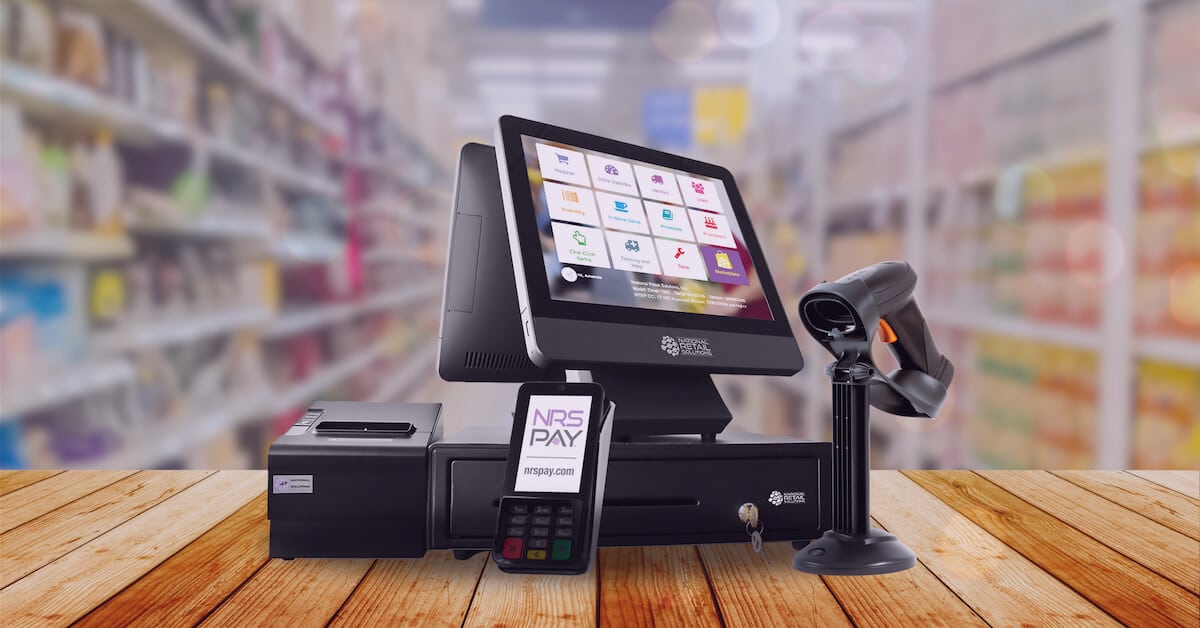
After software installation, hardware devices must be connected and configured. Receipt printers should be installed using appropriate drivers. Barcode scanners must be tested to ensure accurate product recognition.
Payment terminals require secure communication setup. Businesses should follow manufacturer instructions when connecting payment processing devices.
Peripheral testing is an important step before launching the system. Testing includes printing sample receipts, scanning product barcodes, and processing test transactions.
Cable connections should be checked to ensure stability. Loose or damaged cables may cause communication failures between system components.
User Account and Security Configuration
Security configuration is essential for protecting business information. Administrators should create user accounts with appropriate permission levels.
Role-based access control allows businesses to restrict system functions based on employee responsibilities. For example, cashiers may only access transaction processing features, while managers can access reporting modules.
Strong password policies should be enforced. Passwords should be changed regularly to enhance system security.
System Testing and Deployment
Before using the POS system in live business operations, comprehensive testing is necessary. Testing should include transaction processing, inventory updates, receipt printing, and network communication.
Simulated transactions help identify potential configuration problems. Any detected errors should be resolved before full deployment.
Employee training is also important during system deployment. Staff members should understand basic system operation, troubleshooting methods, and security practices.
Maintenance and Updates After Installation
Regular system maintenance ensures long-term performance stability. Software updates should be installed when available to improve security and functionality.
Hardware devices should be cleaned and inspected periodically. Printer heads, scanner lenses, and connection ports require routine maintenance.
Monitoring system performance helps detect early signs of technical problems. Businesses should keep technical support contact information available for emergency situations.
Conclusion
Proper installation and setup of ComPOSxb POS systems play a crucial role in achieving efficient business operations. Following step-by-step installation procedures ensures system stability and reduces technical risks.
By preparing hardware components, configuring databases, securing user access, and performing thorough testing, businesses can maximize the benefits of modern POS technology.
A well-installed POS system improves transaction speed, enhances customer experience, and supports data-driven business management. Organizations that invest time in correct setup procedures gain long-term operational reliability and efficiency.