


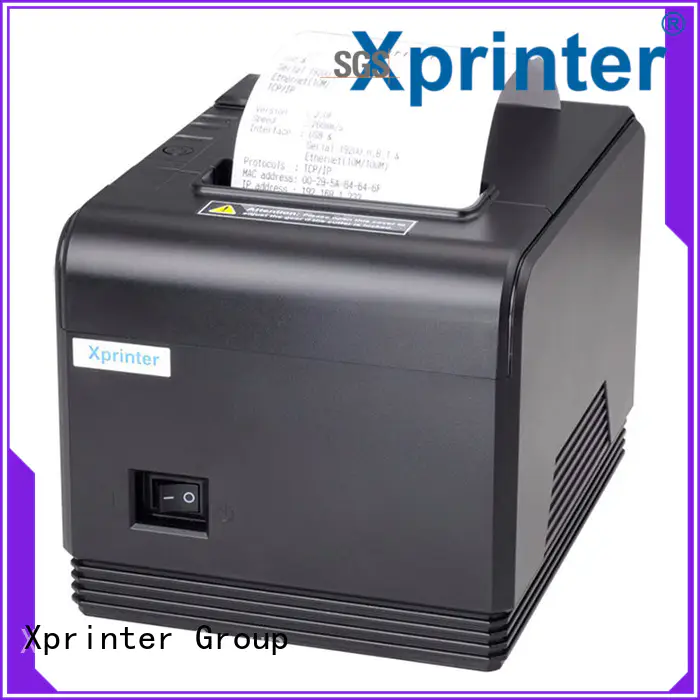
Understanding the Printing Mechanism of an 80mm Thermal Printer
Thermal printing is widely used in retail stores, restaurants, ticketing systems, and other businesses that need fast and reliable short-form documents. Unlike conventional printers, thermal models can produce text and graphics without using ink cartridges or toner, making their operating mechanism particularly useful for point-of-sale environments.
An 80mm Thermal Printer works by applying controlled heat to specially coated paper. The 80mm specification generally refers to the paper width supported by the printer, providing enough space for detailed receipts while maintaining a compact form suitable for many checkout counters.
What Is Direct Thermal Printing?
Direct thermal printing is a process in which a printer creates an image directly on heat-sensitive paper. Instead of transferring ink from a cartridge or ribbon, the printer uses a thermal printhead to generate heat at precise locations.
The coating on thermal paper reacts to this heat and changes color. By controlling the timing and location of the heat, the printer creates letters, numbers, barcodes, logos, and other printable elements.
This straightforward process is one reason thermal printers are commonly used for receipts and transaction records.
The Role of the Thermal Printhead
The thermal printhead is the main component responsible for creating the printed image. It contains a row of tiny heating elements positioned across the width of the paper.
When a print command reaches the printer, its internal controller determines which heating elements should activate. Each element heats a specific point on the thermal paper, creating small marks that combine to form characters and graphics.
The printhead repeats this process rapidly as the paper moves through the printer, producing the complete receipt line by line.
How Thermal Paper Reacts to Heat
Thermal paper contains a heat-sensitive coating designed to change color when exposed to sufficient heat. This coating is what allows the printer to operate without conventional ink.
The printer controls the amount and timing of heat applied to the paper. Areas that receive the appropriate thermal energy become darker, while unaffected areas remain unchanged.
Because the printing material is incorporated into the paper itself, no separate ink or toner transfer mechanism is required.
Step-by-Step Printing Process
Although thermal printing happens quickly, several coordinated steps take place inside the printer.
- Data is received: The POS system, computer, or connected device sends printing instructions to the printer.
- Data is processed: The printer’s controller converts the information into patterns that the printhead can reproduce.
- Paper moves: Rollers guide the thermal paper through the printer at a controlled speed.
- Heat is applied: Specific heating elements on the printhead activate according to the print data.
- The image develops: The heated areas of the thermal coating change color.
- The receipt exits: The printed paper moves out of the printer and may be separated by an automatic cutter.
This process can be completed within seconds, which is valuable for businesses handling frequent transactions.
Why an 80mm Format Is Common for Receipts
The 80mm paper format offers a practical balance between printable space and equipment size. It provides enough width for businesses to include detailed transaction information without requiring a large printer.
An 80mm receipt may contain:
- Business name and contact details
- Product descriptions
- Prices and quantities
- Taxes and discounts
- Payment information
- Barcodes or QR codes
- Return and exchange policies
The actual printable area may be slightly narrower than the physical paper width because of printer margins and printhead design.
Important Components Inside the Printer
Several components work together to maintain consistent printing performance.
Thermal Printhead
This component generates the heat needed to create the image on the paper. Its condition directly affects print clarity.
Platen Roller
The platen roller helps move the thermal paper through the printer while keeping it properly positioned against the printhead.
Paper Sensor
A paper sensor can detect whether paper is present and may alert the user when the roll has been depleted.
Controller and Interface
The printer’s internal controller processes incoming print data and communicates with the connected POS system or other host device.
Automatic Cutter
Some models include an automatic cutter that separates the finished receipt from the remaining paper roll. This can improve convenience in busy checkout environments.
Why Thermal Printers Do Not Need Ink
The absence of ink is a direct result of how the printing mechanism works. Traditional printers need ink or toner to create an image on ordinary paper.
Direct thermal printers instead use heat-sensitive paper as the image-forming medium. The printhead supplies the heat, while the paper’s coating produces the visible result.
This design eliminates ink cartridges and toner from the printing process, simplifying consumable management for businesses that regularly print receipts.
Factors That Affect Print Quality
Several factors can influence the quality of thermal output. The condition of the printhead, quality of the thermal paper, print speed, and heat settings can all affect how clearly text and graphics appear.
Using compatible, good-quality thermal paper can help produce consistent results. Keeping the printhead and paper path clean can also reduce printing defects and maintain readability.
If receipts begin appearing faded, uneven, or incomplete, the printer and paper should be inspected before assuming that the device itself needs replacement.
Limitations of Thermal Printing
Direct thermal printing is highly practical for receipts, but it has limitations. Thermal paper can be sensitive to excessive heat, prolonged light exposure, friction, and certain environmental conditions.
For this reason, businesses that need records to remain readable for extended periods should consider appropriate storage conditions and the characteristics of the paper being used.
Thermal printing is generally most suitable for receipts, tickets, transaction records, and other documents where short- to medium-term readability is sufficient.
Maintaining the Printing Mechanism
Regular maintenance can help preserve print quality and extend the useful life of a thermal printer. Businesses should follow the manufacturer’s cleaning and maintenance recommendations.
Common maintenance practices include:
- Keeping the paper path free of debris
- Cleaning the printhead according to manufacturer guidance
- Using compatible thermal paper
- Checking the platen roller for wear
- Replacing worn cutters or other components when necessary
Proper care is especially important in high-volume environments where the printer operates for many hours each day.
Conclusion
An 80mm thermal printer creates receipts by combining a heat-sensitive paper roll with a precision thermal printhead. The printer receives digital data, moves the paper through the printing mechanism, and applies heat to selected areas to form text and graphics.
This ink-free process allows thermal printers to deliver fast and straightforward receipt printing with relatively simple consumable requirements. Understanding how the printhead, paper, rollers, sensors, and controller work together can help businesses choose appropriate equipment and maintain reliable printing performance.